
The smart WiFi body camera auto uploads videos to the storage server
The WiFi body camera can quickly upload video, pictures, and audio to the server and storage, efficiently solving the problem of cumbersome setup steps.
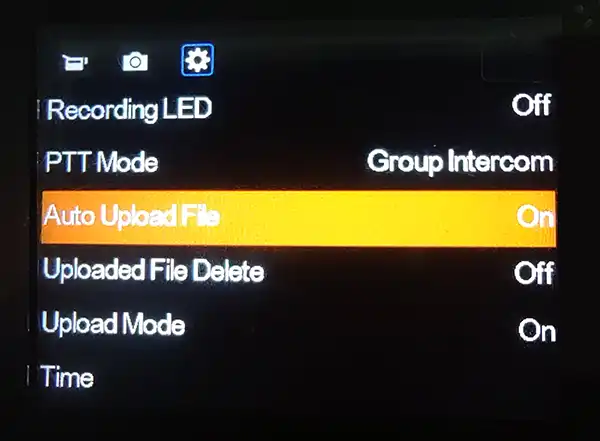
Quickly enable the WiFi upload function: Connect the body camera to the cam manager software and set the server IP, device ID, WiFi SSID, and password. Turn on the body camera and find the WiFi upload function and enable it through the camera menu, as shown in the image. After the camera connects to WiFi, it will automatically upload video, pictures, and audio files to the server software.
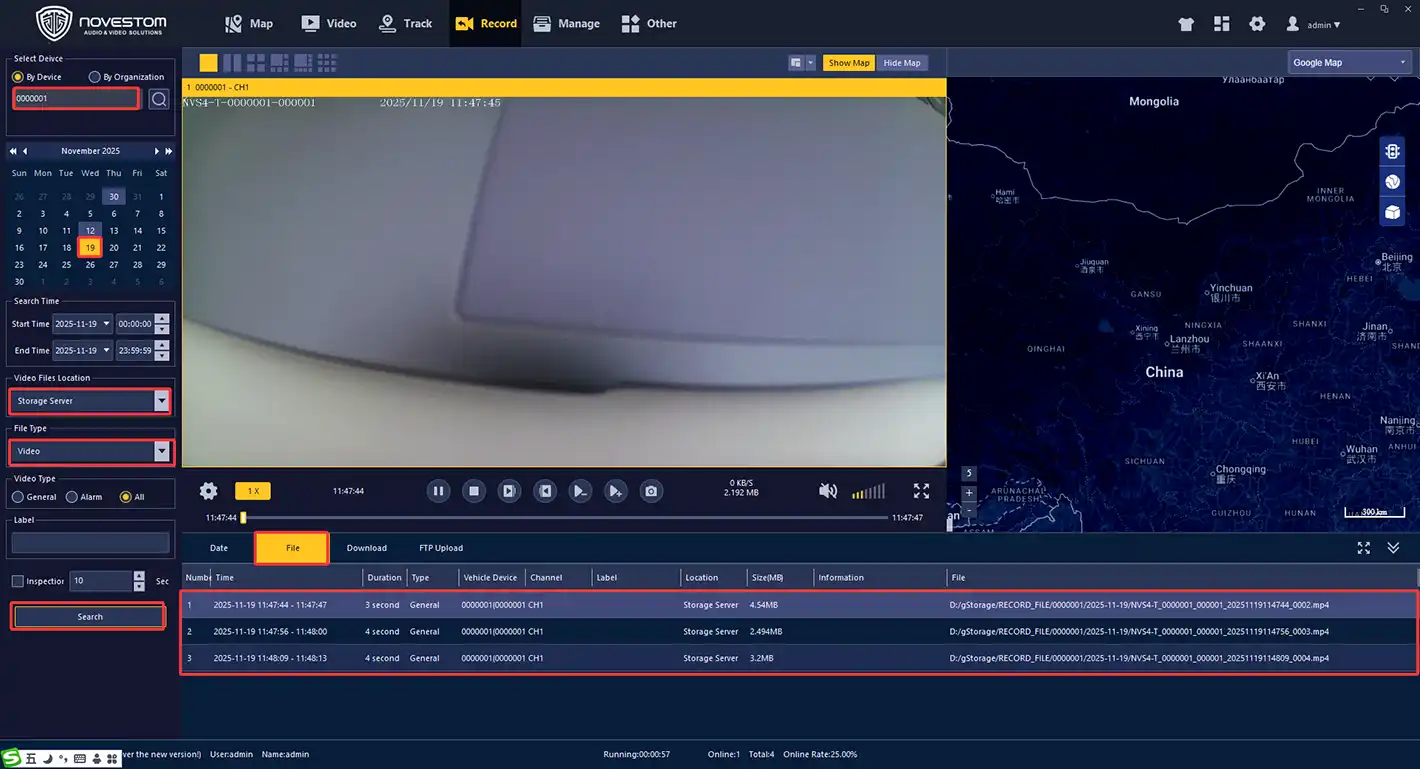
Query and play back videos, pictures, and audio: Open the CMSV scheduling platform to click menu Record button, select device ID, data, video files location storage server and files type to click serch, the files will be displayed from list as picture.
NOVESTOM NVS4-T Pro body camera comes with Wifi uploading to server, if you want to know more that, please visit: NOVESTOM™ NVS4-T Pro 4G LTE Live Streaming Body-Worn Camera